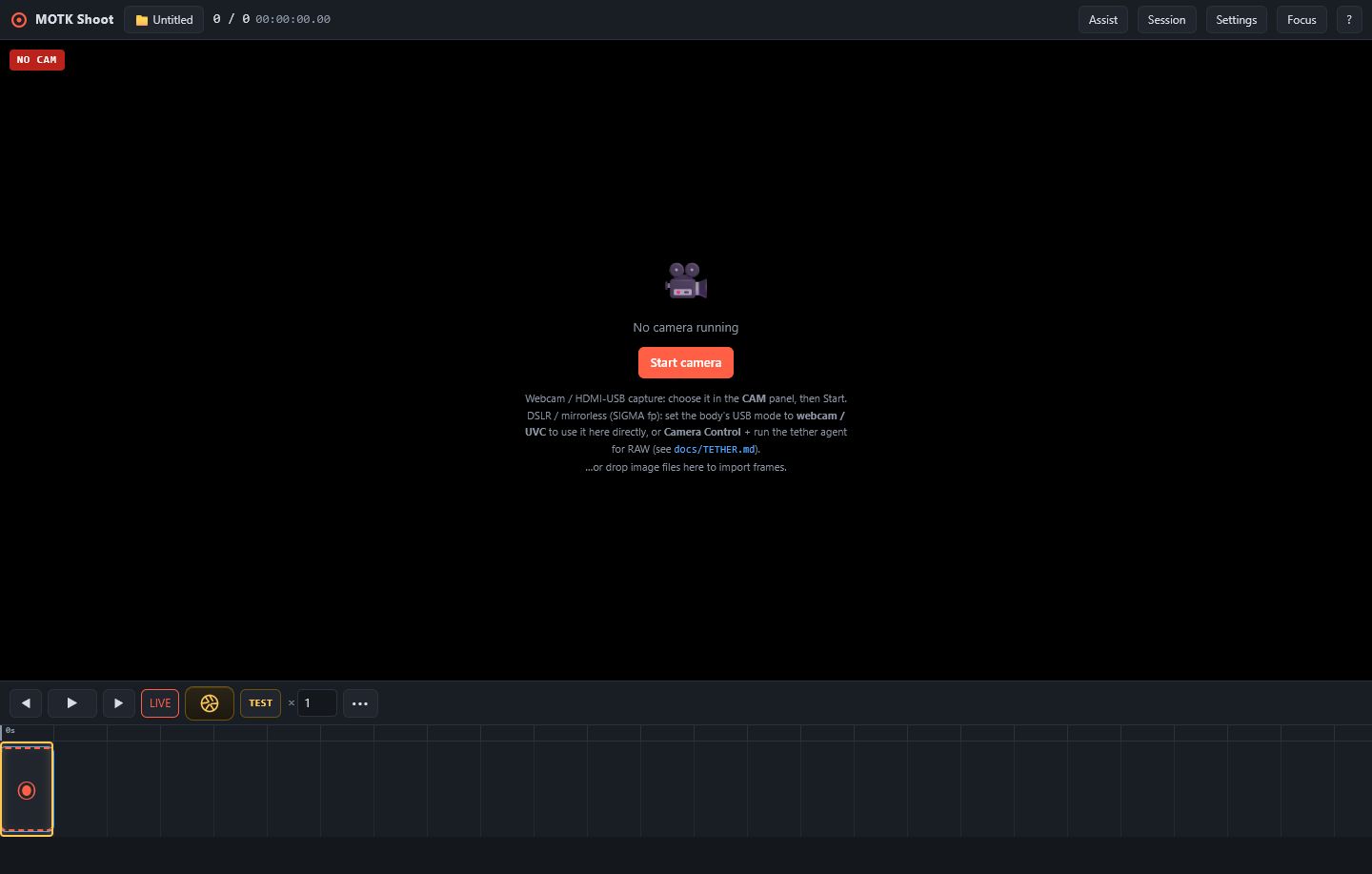
A camera-room-first stop-motion studio for desktop, iPhone, iPad, and other modern browsers.PC、iPhone、iPadなどのブラウザで使える、撮影室を中心に再設計したストップモーション撮影スタジオです。
Actual public interface with synthetic or empty-state content only.公開中の実画面です。合成データまたは空状態だけを使用しています。
What it doesできること
Shoot with onion skin, guides, layers, audio cues, and immediate take playback. Send previs or photography to After Effects, DaVinci Resolve, or Maxon Autograph, then receive rendered previews as guide layers without turning Shoot into a compositor.オニオンスキン、ガイド、レイヤー、音声キュー、直前再生を使って撮影します。プレビズや撮影素材をAfter Effects、DaVinci Resolve、Maxon Autographへ渡し、戻ったレンダーを参照レイヤーとして受け取れますが、MOTK Shoot自体は合成ソフトにはなりません。
Who it is for対象
Animators who want a portable shooting surface, with an optional local Companion for RAW, vendor camera SDKs, and trusted production folders.持ち運びやすい撮影画面を求めるアニメーター向けです。RAW、メーカーSDK、信頼済み制作フォルダが必要な場合だけローカルCompanionを併用できます。
0.4.7 BETA 2 · iPHONE / iPAD
A shorter camera list and a better still-capture path.カメラ一覧を短くし、静止画撮影経路を改善しました。
The quick chooser shows one logical Back and one Front camera on Apple mobile devices. Settings still exposes every physical lens. Safari 18.4 or later can expose Image Capture; Shoot then requests a camera photo at the maximum reported still dimensions. If the browser cannot provide it, Shoot labels the result as a live-view frame instead of hiding the fallback.Appleのモバイル端末では、クイック選択を基本的にBackとFrontの2系統に整理しました。Settingsには物理レンズをすべて残しています。Safari 18.4以降でImage Captureが使える場合は最大静止画サイズのdevice photoを要求し、利用できない場合はlive-view frameとして明示します。
BACK / FRONTDEVICE PHOTOFALLBACK SHOWN
POST ROUND-TRIP
Keep shooting while post work continues elsewhere.別のPCでポスト作業を進めながら撮影を続けられます。
MAC PASS
After Effects
Previs, incremental photographed layers, collected media, and returned preview layers.
RESOLVE 21 PASS
DaVinci Resolve
FCPXML still holds, render/return, and missing-media relink are verified.
AUTOGRAPH PASS
Maxon Autograph
Import, Collect Files, composition, ProRes render, and append-only return are verified.
Before downloadingダウンロード前に
Public beta 0.4.7-beta.2 improves iPhone and iPad capture. The quick chooser shows one logical Back and one Front camera, while Settings retains the complete physical lens list. When Safari exposes Image Capture, Shoot requests a device photo at the camera's maximum reported still dimensions and reports whether the accepted frame came from device-photo capture or the live-view fallback.公開ベータ0.4.7-beta.2では、iPhone/iPad撮影を改善しました。クイック選択は基本的にBackとFrontの2系統だけを表示し、Settingsには物理レンズの完全な一覧を残します。SafariがImage Captureを提供する場合は、端末が報告する最大静止画サイズでdevice photoを要求し、実際に保存された画像がdevice photoかlive-view fallbackかを画面に表示します。