MOTKMOTK / Start開始
Start with MOTK Web.まずMOTK Webから始める。
Most teams should start with the hosted Web public beta. The downloadable ZIP keeps the self-managed Google Apps Script edition and source available for existing installations, independent hosting, and development.通常は、インストール不要のWeb公開ベータから始めるのがおすすめです。既存環境の継続、自己管理での運用、開発用途には、Google Apps Script版とソースを含むZIPも引き続き配布します。
First time here?初めての方へMOTK creates the correctly formatted Google Sheets for you.正しい形式のGoogle Sheetsは、MOTKが自動で作ります。
Sign in, enter a project name, and choose Create. MOTK creates one Project Root in that Google account, then places the project workbook, separate ADMIN workbook, Fields and entity sheets, project settings, Originals, and Proxies inside it.Googleでログインし、プロジェクト名を入力して作成するだけです。そのGoogleアカウント内に1つのProject Rootを作り、プロジェクト用ワークブック、別管理のADMINワークブック、Fieldsと各エンティティSheet、プロジェクト設定、Originals、Proxiesをその中へまとめます。
Owned by the creator作成者が所有The signed-in Google account owns the new Sheets and folders. Cloudflare and the MOTK service operator do not.新しいSheetとフォルダはログイン中のGoogleアカウントが所有します。CloudflareやMOTK運営者は所有しません。
MOTK[Project]/
├─ MOTK[Project]
├─ MOTK[Project]_ADMIN
├─ Originals/
│  ├─ 01shots/
│  └─ 02assets/
└─ Proxies/
You do not need to copy headers, build a template by hand, or prepare a blank Sheet first.見出しのコピー、テンプレートの手作業、空のSheetの事前準備は必要ありません。
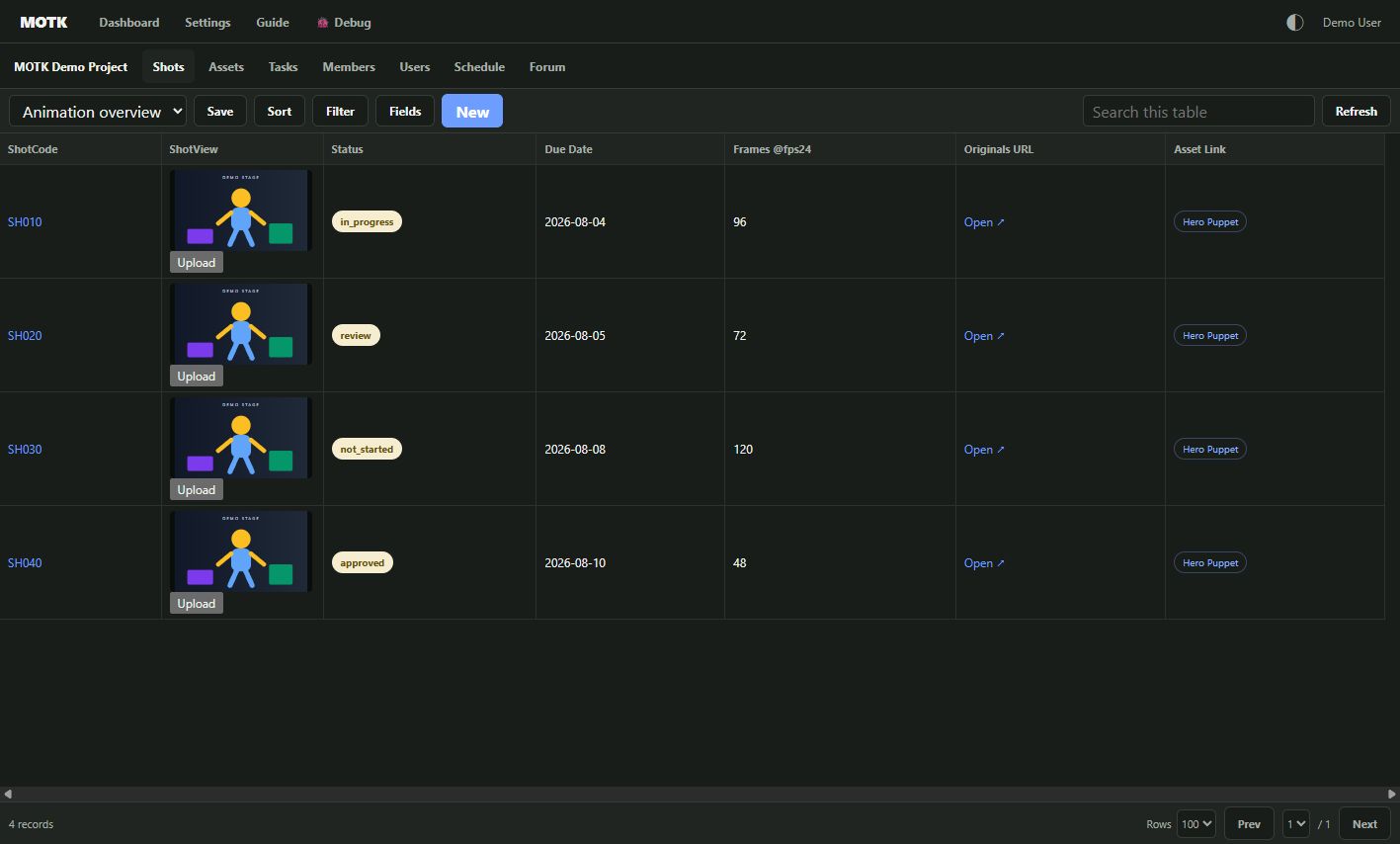
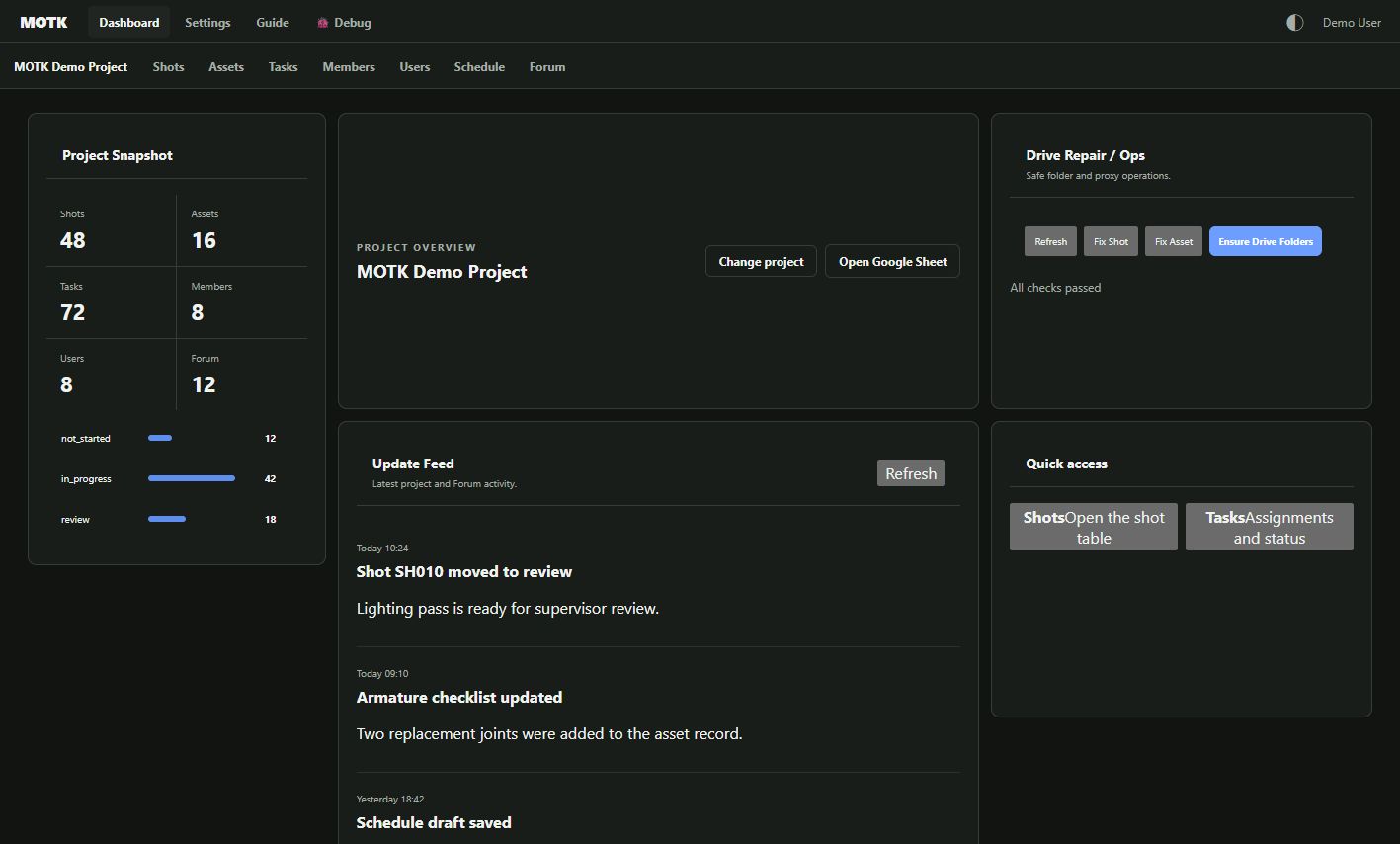
Recommended · Public betaおすすめ · 公開ベータ
MOTK Web
Use the complete MOTK interface in a browser. No application download and no personal Google Cloud Console setup are required.完全なMOTK画面をブラウザで利用します。アプリのダウンロードも、利用者ごとのGoogle Cloud Console設定も不要です。
- Sign in with your normal Google account.普段のGoogleアカウントでログインします。
- Open a shared project, or let MOTK create a correctly formatted Project Root in your Drive.共有済みプロジェクトを開くか、MOTKに自分のDrive内へ正しいProject Rootを作成させます。
- Google Sheets remains the production-data source of truth; Drive remains the media store.制作データの正本はGoogle Sheets、メディアの保存先はDriveのままです。
- Sheet sharing controls who can reach the project. Existing Users and ProjectMembers rules continue to control MOTK permissions and roles.プロジェクトに入れる人はSheet共有で決まり、MOTK内の権限と役割には既存のUsers/ProjectMembersルールが引き続き使われます。
The shared OAuth client is operated by the MOTK service. Individual users do not register JavaScript origins or create a Google Cloud project.共通のOAuthクライアントはMOTKサービス側で管理します。利用者がJavaScript生成元を登録したり、Google Cloudプロジェクトを作成したりする必要はありません。
Self-managed自己管理
ZIP / Google Apps Script editionZIP/Google Apps Script版
Download the MOTK source package when you want to keep an existing GAS deployment, inspect the implementation, or operate your own Apps Script web app.既存のGAS版を継続する場合、実装を確認する場合、Apps Script Webアプリを自分で管理する場合に、MOTKソースパッケージをダウンロードします。
- The ZIP contains the GAS interface, project scripts, tests, and maintenance tools.ZIPにはGAS画面、プロジェクト用スクリプト、テスト、保守ツールが含まれます。
- This edition requires the owner to configure and deploy its Google Apps Script environment.この版は、所有者自身によるGoogle Apps Script環境の設定とデプロイが必要です。
- Downloading is not required to use the hosted Web edition.ホストされたWeb版を使うだけなら、ZIPのダウンロードは不要です。
- Web and GAS can coexist with the same workbook contract. Back up production workbooks and avoid simultaneous edits while validating a mixed workflow.Web版とGAS版は同じワークブック契約で共存できます。併用を確認する間はバックアップを取り、同じレコードの同時編集を避けてください。
MIT license · No account is required for the ZIP download.ZIPのダウンロードにアカウントは不要です。
Which one should I use?どれを使えばよいですか?
| Your situation状況 | Choose選ぶもの | Reason理由 |
|---|
| I want to try or use MOTK now.すぐにMOTKを試したい/使いたい。 | MOTK Web | No install and no individual Cloud Console setup.インストールと個別のCloud Console設定が不要です。 |
| My team already operates the GAS edition.すでにチームでGAS版を運用している。 | Keep GAS, test Web alongside itGASを維持し、Web版を並行テスト | There is no forced retirement. Move only after your own acceptance pass.GASを強制終了する必要はありません。自分たちの受入確認後に移行できます。 |
| I need to inspect, modify, or self-host the implementation.実装を確認・変更・自己管理したい。 | ZIP / GitHubZIP/GitHub | The source package is the developer and self-managed route.ソースパッケージが開発者・自己管理向けの入口です。 |
One project, two interfaces:ひとつのプロジェクト、2つの画面: MOTK Web does not replace your workbook with a separate production database. It is another interface to the Google Sheets and Drive structure your team controls. The GAS package remains available for teams that need it.MOTK Webはワークブックを別の制作データベースへ置き換えません。チームが管理するGoogle SheetsとDrive構造を使う、もうひとつの画面です。必要なチームにはGASパッケージも引き続き提供します。